
Using Technology in Early Education Settings

Key Takeaways
- Young children learn best through hands-on, face-to-face interaction, so screen use for babies and toddlers should be minimal, intentional, and never replace real-world engagement.
- For preschoolers, high-quality screen media can support learning when adults actively guide the experience, connect it to real-life activities, and keep viewing time short and purposeful.
- Educators and families should use technology thoughtfully by avoiding screens during routines like meals and sleep, limiting advertising exposure, modeling healthy media habits, and using tools like video chat to strengthen family connections.
Guidance for early childhood educators to make thoughtful, developmentally appropriate decisions about technology use by emphasizing intentional screen experiences that support rather than replace hands-on learning and relationships.
Babies and toddlers can learn from screen experiences—but they don’t learn as efficiently as they do in face-to-face interactions. Video chat is an exception.
Children under two may seem delighted by the bright lights and interesting noises coming from a phone or tablet screen. But it’s very difficult for a baby to make the connection between the screen and real life. Young children (0-3) learn best with back-and-forth of interaction, which is why video chat is a better learning experience.
Plan for no screen media use in the baby room. Little or no screen media in the toddler room is best. If you choose to use games or videos, be sure that these are truly high quality and educational in nature. Use only for short periods of time.
Preschoolers can learn from screen experiences, but still need support.
For older children, screen media can be a powerful tool for connecting to the world outside the classroom. Together, you can watch a volcano erupt or see a butterfly emerge from a chrysalis. When used as part of the learning experiences you design, online experiences can give children a window into the larger world.
But remember: Young children still do not learn efficiently from online games and apps. It is difficult for children to transfer what they see on a screen to everyday life. They need your help. For example, a child might learn to name a picture of a dog after many repetitions in an online game. But the experience of talking with a teacher or parent about the dog down the street would lead to much richer language development.
Why are almost all games and apps labeled educational?
There are no national standards that qualify online content as “educational”. Creators choose the “educational” label themselves. This makes it difficult for caregivers and educators to identify high-quality content. Use the guidelines below when selecting screen media experiences. Focus on quality content from creators who know child development.
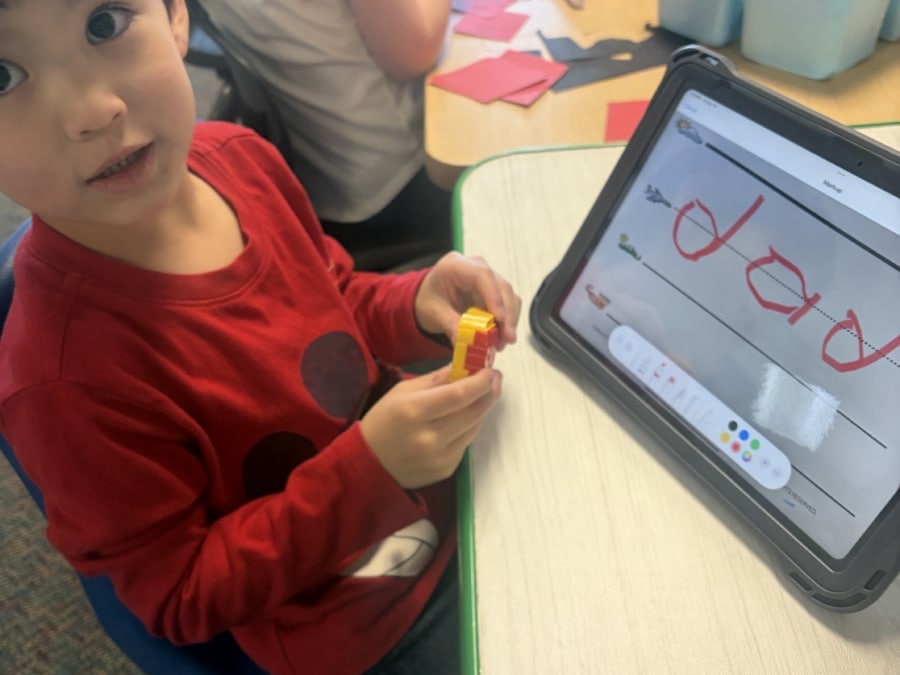
Research-Backed Guidance When Using Tech in Toddler and Pre-K Programs
Screen Media and Learning
Choose screen media as an intentional part of the learning experience.
- From birth to the age of five, children learn best through interactive, hands-on experiences. But thoughtful use of media can add to children’s understanding. Preview and think about how you’ll introduce the online material, what questions you might ask during viewing, and what you’ll do together to follow up. Consider new vocabulary you might need to explain (like a butterfly’s “abdomen”). Be prepared to provide context for what’s happening onscreen. (For example, explain that there are no volcanoes in your community.) Think about something concrete children can do to transfer what they learned on screen to the world of the classroom.
Select content developed by educators.
- For example, programs, short videos, and games offered by PBS. Commonsense Media and Slow Media for Kids also provide recommendations based on a child’s age.
Be aware of children’s attention spans.
- Keep viewing times very short. Choose just enough material to support your learning experience or answer a child’s question. (For example, you might show only the first 2 minutes of a 9-minute video clip about volcanoes.)
Watch together and engage children’s thinking.
- Pause to check for understanding, ask or answer a question, or encourage children to predict what may happen next.
Connect what’s on-screen to the real world.
- Have children use their bodies to “act out” a volcano erupting. Plant flowers that attract butterflies. Use screen resources as just one pathway to hands-on exploration, practice and mastery.
Support transitions away from media.
- Develop and teach routines to help children transition from media to other activities, such as putting the tablet in its case on a closet shelf when done viewing.
Screen Media and Best Instructional Practice
Use technology to document children’s learning.
- Children love watching videos and looking at pictures of themselves and peers. Snap photos and take video of children’s learning in action. Use these materials to help children reflect on their day, what they did, and what they learned. You can also use photos and videos to share classroom activities with families.
Use screen media sparingly.
- For children of all ages, time spent on screens is time not spent doing hands-on learning. Babies, toddlers, and preschoolers need many chances to explore the world around them and build early friendships.
Keep screens out of naptime and mealtime.
- Playing music is okay! But using screens during these routines can crowd out interaction with teachers and peers. Research on night-time use has also found that screens before sleep make it harder for children to fall, and stay, asleep.
Steer clear of screen use to manage child upset.
- Avoid offering a child access to a game or video if they are upset. Children learn to regulate their feelings when they can practice self-calming skills. They need screen-free opportunities to be calmed and soothed by you, and to learn how to do it themselves.
Avoid video/game content that allows advertising.
- Young children can’t tell the difference between the videos they enjoy and the products being advertised. If you are using a video-sharing platform (like YouTube), be cautious of pop-up ads as they are often inappropriate for children.
Be aware of your own screen use.
- This includes checking a phone or using screens in front of children, to model a healthy relationship with media. Adult screen use, we often call this “technoference” can impact children.
Screen Media and Family Partnerships
Consider using video chat to enrich family partnerships.
- Video chat can be a good way to invite caregivers (parents and grandparents) into the classroom if they are unable to attend in person. Video chat provides many of the same cues of face-to-face interactions and can be used to share games, songs, stories, and greetings.
Be ready for parents’ questions about screen use at home.
- You’re a trusted person in a family’s life, and they may have questions about when/how much screen media their child should see. Be prepared to answer their questions by using resources like this one.
Next Up
Go to Next Resource
open-letter
How the Attention Economy Impacts Young ChildrenDr. Radesky explains how today's digital media is capturing and commercializing young children’s attention, underscoring the need for stronger parent, platform, and policy responses.
